

Salesforce Terminology for Recruiters: A Hiring Guide from Someone You're Trying to Place
By Jeremy Carmona | Clear Concise Consulting
I got a LinkedIn message last Tuesday from a recruiter asking if I was interested in a "Salesforce Developer role requiring 5+ years of APEX and Lightning Web Components experience."
I'm an architect. I haven't written production Apex in four years. My 13 certifications span administration, consulting, and architecture. The job description had nothing to do with my skill set.
This happens constantly. Not because recruiters are lazy. The problem is simpler: Salesforce is a $35 billion ecosystem with its own vocabulary, and nobody has bothered to translate it for the people responsible for staffing it.
I've had ten different recruiters tell me in the past year that they follow my content to learn about Salesforce. That feedback made something click: the content gap isn't Salesforce training for Salesforce people. It's Salesforce literacy for the talent professionals building these teams.
This is that guide.
Salesforce Is Not One Product
The most common mistake I see in recruiter outreach: treating "Salesforce" as a single skill. It's not. Salesforce is a platform with multiple products (called "Clouds"), each serving a different business function. A Sales Cloud expert and a Marketing Cloud expert have almost nothing in common technically.
Here's the plain-English breakdown:
Sales Cloud manages the sales pipeline. Tracks leads, deals, accounts, and revenue forecasts. This is the most common Salesforce product and where most admin and consultant roles live.
Service Cloud manages customer support. Tracks cases (support tickets), routes them to the right agents, measures response times. Think help desk operations.
Marketing Cloud manages email campaigns, customer data for marketing automation, and cross-channel messaging. This is practically a separate platform with its own interface, its own certifications, and its own specialist market.
Experience Cloud builds customer and partner portals on top of Salesforce data. If a company has a "community" or "portal" where external users log in, that's Experience Cloud.
Data Cloud is the newest major product. Connects data from multiple sources into Salesforce for AI and analytics. Candidates with real Data Cloud experience are rare right now.
Nonprofit Cloud / NPSP covers Salesforce's nonprofit-specific products for donor management, grant tracking, and fundraising operations. This is a niche market with dedicated professionals.
When you see a job description that says "Salesforce experience required," your first question should be: which Cloud?
The Role Ladder (And Why It Matters for Placement)
Salesforce roles follow a progression, and confusing the tiers is the fastest way to lose credibility with candidates.
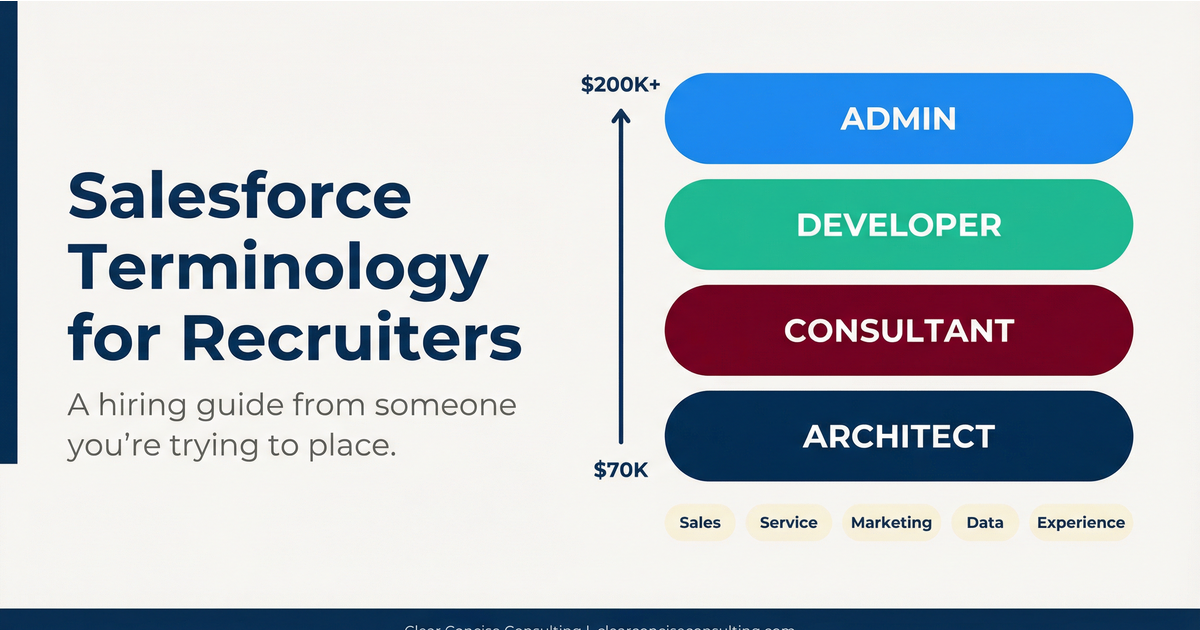
Administrator: Configures the platform using clicks, not code. Manages users, builds reports, creates automations (called Flows). Entry to mid-level. Salary range: $70K-$110K depending on market and experience.
Developer: Writes custom code (Apex, Lightning Web Components, Visualforce). Builds what can't be done through configuration alone. Mid to senior-level. Salary range: $100K-$150K.
Consultant: Gathers business requirements, designs solutions, manages implementations. This person sits between the business stakeholders and the technical team. They need to understand both sides. Mid to senior-level. Salary range: $100K-$140K.
Architect: Designs the overall technical strategy across an entire Salesforce org or multi-org environment. Makes decisions about data models, integrations, security architecture, and platform governance. Senior to principal-level. Salary range: $140K-$200K+.
The critical distinction: An admin who's been working for 8 years is not automatically a consultant or architect. The roles require different skills, not just more years. I've met 2-year architects who are stronger than 10-year admins because they spent their time on design, not just configuration.
When a client asks you for a "senior Salesforce resource," pin them down on which tier they actually need. A senior admin and a junior architect are different people at different price points solving different problems.
Five Terms Recruiters Get Wrong
1. "Apex experience required" on an admin role. Apex is Salesforce's programming language. Admins don't write Apex. That's developer work. If the job is admin-level, the description should reference Flows, reports, and configuration, not Apex. Listing Apex on an admin role signals to qualified candidates that the hiring team doesn't understand its own needs.
2. "CPQ" listed casually. CPQ (Configure, Price, Quote) is a specialized product for complex pricing and quoting. Candidates with real CPQ experience are scarce and expensive. If the job description mentions CPQ as one bullet among twenty, find out if they actually use it or if someone copied it from another posting.
3. "Lightning experience" as a requirement. Lightning is the current Salesforce user interface. It's not a skill. It's like requiring "experience with Google Chrome." Every active Salesforce professional works in Lightning. If a candidate mentions "Classic" experience, that tells you they worked with Salesforce before 2018, not that they lack current skills.
4. "Salesforce integration experience." Integration covers a massive range. Ask: integration with what? Using MuleSoft (Salesforce's enterprise integration platform) is very different from connecting Salesforce to Mailchimp via a plugin. The specificity matters.
5. "Nonprofit experience" without specifying NPSP or Nonprofit Cloud. NPSP (Nonprofit Success Pack) and Nonprofit Cloud are different products. NPSP was the original open-source package built on Sales Cloud. Nonprofit Cloud is the newer Salesforce-native product replacing it. A candidate with 5 years of NPSP experience may need ramp-up time on Nonprofit Cloud. They're related, not identical.
How to Read a Candidate's Certifications
Certifications prove that someone studied and passed an exam. They don't prove that someone can do the job. Here's what to look for instead of counting certs:
Certs that matter for the role. An admin candidate with Admin and Advanced Admin certifications is well-positioned. An admin candidate with 8 certifications including Marketing Cloud and Data Architect is probably a career cert collector, not a focused admin.
Certs paired with implementation experience. "I have my Sales Cloud Consultant certification and I've led 4 Sales Cloud implementations" is a strong signal. "I have my Sales Cloud Consultant certification and I've been studying for it on Trailhead" is a very different candidate.
Trailhead badges vs. certifications. Trailhead is Salesforce's free learning platform. Badges and Superbadges show self-directed learning. They're positive signals for junior candidates. For senior roles, they're irrelevant. Nobody hires an architect based on Trailhead badges.
The cert that tells you the most: Platform App Builder. This cert sits between admin and developer. A candidate who holds it usually understands both configuration and light customization. It's one of the more practical certifications in the stack.
Three Questions That Expose Fake Experience
These work for any Salesforce role. They probe for details that only come from hands-on work.
"What is the difference between a Profile and a Permission Set?"
Real experience: Explains that Profiles are the baseline (one per user, controls defaults), Permission Sets add access on top (multiple per user), and Salesforce is moving toward a Permission Set-first model.
Fabricated experience: Says "they are both for security" without explaining the structural difference. This is the single most fundamental admin concept. If they can't explain it clearly, they haven't configured user access in a real org.
"Tell me about a time you broke something in production."
Real experience: Has a specific story with named objects, described impact, and lessons learned. Every working Salesforce professional has a production incident story. The specificity is the tell.
Fabricated experience: Says "I have never had a production issue." Nobody who has worked in Salesforce for more than six months has a clean record. The absence of a war story is itself a red flag.
"What is a sandbox and how do you use it?"
Real experience: Describes sandbox types (Developer, Developer Pro, Partial, Full), the development workflow, and the deployment method they use.
Fabricated experience: Knows the word "sandbox" but can't describe different types or the deployment process.
What to Ask Me (And Others Like Me) Instead
Next time you reach out to a Salesforce professional, try this:
Instead of: "Are you open to new opportunities?" Try: "I have a [specific Cloud] role at [company type] that needs [admin/consultant/architect]. The team is [size] and the main project involves [specific work]. Worth a conversation?"
The specificity tells me you read my profile, you understand the role, and you're not blasting the same message to 200 people. I respond to those messages. I ignore the other kind.
Free Screening Guides
This is the first in a 10-part series. I'm publishing cloud-specific screening guides for every major Salesforce product: Sales Cloud, Service Cloud, Marketing Cloud, Experience Cloud, Data Cloud, and Nonprofit Cloud. Each guide includes the exact questions to ask, what good answers sound like, the red flags that signal overstated experience, and how to tell if someone is lying about their background.
All free. No email gate. Included in each article.
Jeremy Carmona is a 13x Salesforce certified architect, founder of Clear Concise Consulting, and adjunct instructor at NYU Tandon School of Engineering, where 80% of his students land Salesforce jobs after completing the program. He writes about Salesforce governance, AI readiness, and nonprofit technology at clearconciseconsulting.com.
